

Migrating from Magento to Shopify is one of the most consequential infrastructure decisions a mid-market or enterprise merchant will make. This guide breaks down the full replatforming process, from data extraction and ETL pipeline design to SEO preservation and go-live cutover, for merchants running $2M–$25M in GMV on legacy Magento 1 or Adobe Commerce instances.
Key Takeaways
Migrating from Magento to Shopify is a replatforming project rather than simple data migration. It requires rearchitecting your catalog structure, rebuilding integrations, and carefully preserving the organic search equity you’ve spent years building. Migrating an e-commerce store requires careful planning to prevent data loss and SEO disruption, and this guide walks through every phase of that process.
- A Magento to Shopify migration touches every layer of your online store: product data models, customer accounts, order history, CMS pages, URL taxonomy, and third-party integrations. An automated migration tool handles bulk transfers, but custom ETL scripts and engineering oversight are essential for complex catalogs. Shift8 Web provides Shopify development services purpose-built for enterprise-grade replatforming like this.
- Data integrity and data security are the primary success metrics. Every product, customer record, and order must be validated post-import. Priorities include preserving customer groups logic through Shopify tags, mapping Magento URLs to new Shopify URLs via 301 redirects, and carefully handling complex products and multi-warehouse inventory.
- Customer passwords cannot be migrated from Magento to Shopify due to incompatible encryption and hashing algorithms. For Shopify Plus merchants, Multipass SSO preserves sign-in continuity. For others, a secure password reset campaign at launch is the recommended approach.
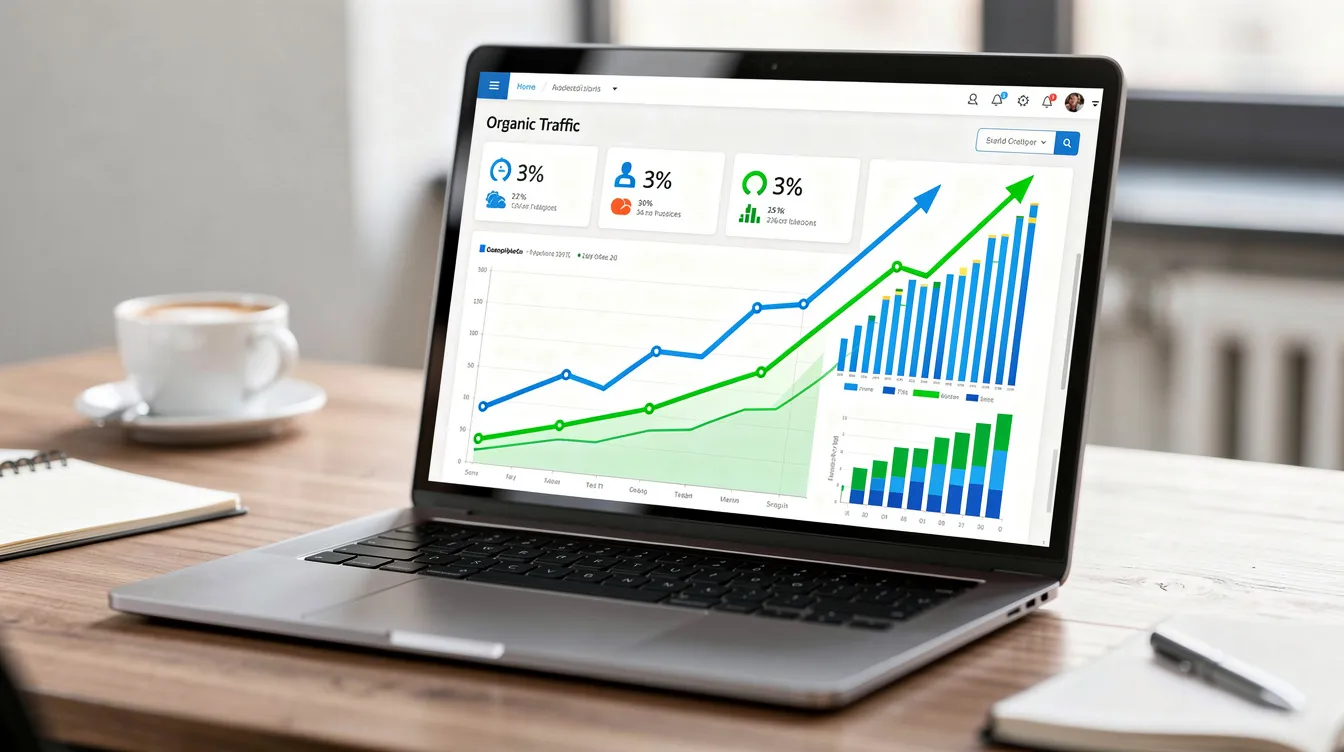
- Organic traffic preservation demands exact redirect mapping, metadata migration, and structured data validation. Merchants who execute this correctly have seen organic traffic increases of 18% or more within three months of launch.
- Timeline and cost scale with complexity. A 10k-SKU catalog with moderate integrations typically takes 8–12 weeks; enterprise setups with 50k+ SKUs and multi-warehouse, multi-region requirements run 12–24 weeks and $70,000–$150,000+.

Why Mid-Market & Enterprise Merchants Are Leaving Magento for Shopify in 2026
The 2024–2026 landscape has accelerated Magento-to-Shopify replatforming across the mid-market. Adobe Commerce license and support costs continue rising, qualified Magento developers are increasingly scarce, and the infrastructure overhead of managing PHP versions, Elasticsearch clusters, Redis caching layers, and server scaling has become a drag on lean eCommerce teams.
- Total cost of ownership: Merchants with $5M–$10M GMV routinely report six-figure annual overheads for Magento license, hosting, security patching, and extension maintenance. One mid-market apparel brand documented over $120,000/year in combined Magento costs before moving to Shopify Plus. Shopify reduces maintenance costs by eliminating server management entirely.
- Operational simplicity: Shopify’s unified SaaS stack means no more managing PHP upgrades, Elasticsearch compatibility, or Redis memory allocation. Shopify’s intuitive interface requires less developer reliance for day-to-day operations like product updates, promotions, and content changes.
- Scalability: Shopify and Shopify Plus comfortably handle peak events-Black Friday/Cyber Monday 2025 traffic levels-without merchants provisioning extra servers or worrying about infrastructure failures under load.
- Security and compliance: Shopify provides built-in security updates and PCI compliance, handling PCI-DSS obligations automatically. For brands managing tens of thousands of customer records, this materially reduces risk exposure compared to self-hosted Magento where security patches require manual deployment.
Building the Business Case for Magento to Shopify Migration
CTOs, eCommerce Directors, and Technical Founders need board-level justification to replatform. A strong business case covers three pillars: cost reduction, revenue uplift, and risk mitigation.
- Cost comparison: Stack your current Adobe Commerce license fees, hosting infrastructure, dev retainers, and extension maintenance against a Shopify plan subscription plus partner apps and targeted custom development. Over a 3–5 year horizon, merchants typically project a 15–25% drop in platform costs.
- Revenue uplift from performance: Faster page loads convert. After migrating to Shopify Plus, one $18M GMV apparel brand saw a 14% conversion rate lift, 22% revenue increase, and LCP improvement from 4.1s to 1.6s on mobile-all within three months post-launch.
- Risk reduction: Less reliance on niche Magento developers. Easier staff onboarding. A vetted ecosystem of third party apps instead of fragile custom modules. Better uptime guarantees.
- Qualitative benefits: Faster time to push content or promotions, better tooling for merchandising, and a modern admin experience that doesn’t require developer intervention for routine tasks.
A specialized Shopify migration agency like Shift8 Web can provide discovery and migration roadmaps that executives can plug directly into board decks, complete with projected timelines, cost breakdowns, and risk registers.
Understanding the Core Differences Between Magento and Shopify
These platform differences define your migration strategy. Understanding them upfront prevents surprises late in the project.
- Data models: Magento’s relational database structure handles data differently than Shopify. Magento uses an EAV (Entity-Attribute-Value) model with multiple product types (simple, configurable, grouped, bundled), customer groups with tiered pricing, and complex attribute sets. Shopify uses a simpler product-and-variant model with tags and Shopify metafields for custom attributes.
- URL structure and routing: Magento URLs are flexible, often including category paths and .html extensions (e.g., /clothing/mens/jackets/leather-jacket.html). Shopify URLs follow fixed patterns: /products/, /collections/, /pages/. URL structures differ between Magento and Shopify, which can affect SEO and traffic if redirects aren’t mapped precisely.
- Checkout: Magento offers a fully customizable checkout. Shopify’s checkout is more opinionated, with limited custom code except via Checkout Extensibility tools and Shopify Plus features.
- Extension ecosystems: Magento marketplace modules can number in the dozens per store, often overlapping or conflicting. The Shopify App Store offers thousands of vetted apps, but the best approach is replacing bloated Magento extensions with lighter Liquid customizations or a small number of private Shopify apps.
What Data Can and Should Be Migrated from Magento to Shopify
The scope of a Magento migration goes well beyond products and customers. Data integrity is the main success metric for every entity you move.
Products, customers, and orders can be migrated from Magento to Shopify. Beyond those core entities, plan for:
- Products with variants, pricing, and product images
- Magento categories (to be rebuilt as Shopify collections)
- Customer accounts including addresses, phone numbers, and marketing consents
- Customer groups (mapped to tags)
- Historical orders with status, tracking, and line items
- Reviews and ratings
- CMS pages and blog posts
- URL rewrites for redirect mapping
- Tax and shipping zones configuration
- Discount and promotion rules (rebuilt, not transferred directly)
What requires extra work: You’ll need to migrate images embedded in descriptions and galleries, map Magento attributes to metafields or tags, rebuild bundled and configurable product logic, and reconcile multi-warehouse stock information against Shopify’s location model.
Typical non-migrated data: Magento server logs, obsolete promotion rules, deprecated attributes with no direct Shopify equivalent, and legacy extension data that serves no purpose on the new platform.
Use an automated tool or Shopify migration app for bulk data transfer, but expect custom ETL scripts for edge cases, large catalogs, and anything that doesn’t map one-to-one.
Constraints and Gaps: What Won’t Transfer Cleanly to Your Shopify Store
Managing expectations on what breaks avoids surprises late in the project. Every Magento to Shopify migration has friction points.
- Variant limits: Shopify limits product variants to 100 per product with a maximum of 3 option axes. Magento products with 5+ configurable options (size, color, material, pattern, finish) create variant explosion that exceeds these caps. You’ll need to split products, restructure options, or use third party apps for complex matrices.
- Product types: Some Magento product types-grouped, bundled, and custom-configurable kits-must be re-modeled as standard products plus apps or custom line-item properties. There is no direct Shopify equivalent for Magento’s grouped product type.
- Customer passwords: Customer passwords cannot be migrated due to encryption. Magento stores passwords using hashing algorithms (bcrypt, SHA256 with salt) that are incompatible with Shopify’s authentication system. You either re-authenticate via SSO using Shopify Plus Multipass or force post-launch password resets.
- CMS content: Magento CMS pages and static blocks will not import visually intact. They must be rebuilt in Shopify themes or page builders while keeping SEO metadata aligned.
- Extensions: Magento extensions do not transfer over to Shopify and must be evaluated for equivalents in the Shopify app ecosystem or replaced with custom development.
Pre-Migration Discovery and Magento Store Audit
This is a structured, engineering-led audit that should precede any data export or Shopify migration app usage. Audit the current Magento store to identify data, extensions, and integrations before migration, including a review of the Magento store’s structure for dependencies, custom logic, and any multi-store setup.
- Catalog audit: Count simple, configurable, bundle, and grouped products. Identify attribute sets, key product options, and variant explosion risks. A store like e4Hats migrated over 150,000 products and 500,000+ total records-knowing those numbers upfront shaped the entire ETL strategy.
- Customer and order audit: Volume of records by year, geographies served, dependencies on customer groups or custom fields. Identify high-value customers who need seamless account transitions.
- Integration inventory: List all third party apps and backend systems attached to your Magento site-ERP, WMS, CRM, ESP, PIM, POS, loyalty, search, and reviews. For each, decide whether it connects to Shopify via native app, custom API integration, or needs replacement.
- SEO assets: Export all active URLs and pull impressions and clicks per URL via Google Search Console data from the past 12–24 months. Prioritize high-traffic pages for pristine redirect handling. CandleDelirium’s migration required mapping roughly 66,879 301 redirects-this work starts in discovery.

Planning Your Migration Strategy and Timeline
A phased migration approach avoids downtime and keeps stakeholders aligned. Create a migration plan outlining goals, timelines, and technical requirements early in the process.
Migrations can take several weeks to months depending on complexity and size of data. Here’s a realistic framework:
Phase | Timeline | Activities |
|---|---|---|
Discovery & Audit | Weeks 1–2 | Catalog, integration, SEO audits |
Data Modeling & ETL | Weeks 3–5 | Field mapping, tooling setup, theme planning |
Build & Import | Weeks 6–10 | Staging imports, theme dev, integrations |
QA & Delta Sync | Weeks 11–12 | Testing, redirect verification, password strategy |
Go-Live | Week 13+ | DNS cutover, monitoring, post-launch fixes |
For a 10k-SKU catalog with moderate customizations, expect 8–12 weeks. For 50k+ SKU enterprise setups with multi-warehouse and multi-region, plan for 12–24 weeks.
Migration windows: Avoid Q4 holiday peaks. Plan for at least one full merchandising cycle for testing and staff acclimation. Blue/green or parallel-run approaches-where Magento runs live while a nearly synced Shopify store is tested in the background-reduce risk significantly, and a fully automated Magento migration can keep the current Magento storefront available while data transfers in the background.
Shift8 Web operates as a Shopify migration agency that manages every phase from discovery through post-launch optimization, providing the technical partnership needed for end-to-end migration strategy and execution.
Choosing the Right Shopify Plan for Your Business
Choose the right Shopify plan based on business needs and long-term growth trajectory, not just current traffic.
- Standard Shopify: Sufficient for merchants under ~$2M GMV with single-region operations, simpler catalogs, and minimal automation needs.
- Advanced Shopify: Appropriate for multi-location inventory, more complex reporting, larger teams, and merchants scaling toward enterprise but not yet needing checkout customization or Multipass.
- Shopify Plus: Shopify Plus supports high-growth brands with advanced automation, higher API rate limits, advanced checkout extensibility, Multipass SSO for customer authentication, and dedicated launch engineering support. Most mid-market and enterprise merchants ($5M–$25M GMV) land here.
Align your Shopify plan choice with long-term architecture. Upgrading plans mid-migration is disruptive and can delay timelines. Create and configure the Shopify account early so core settings, branding, and admin permissions are ready before imports begin.
Architecting Your Future Shopify Storefront and Data Model
Design your target Shopify data model first, then map Magento data into it. This prevents the common mistake of force-fitting Magento’s structure onto Shopify.
- Categories to collections: Magento’s category structure must be manually recreated in Shopify. Magento categories become Shopify collections-either manual collections or Shopify automated collections built on tag-based rules. Over-nested category trees common in Magento should be flattened where possible.
- Attributes to metafields and tags: Product attributes must be mapped to Shopify-compatible fields during migration. Magento attributes used for filtering, search, or merchandising translate to tags for simple categorization or Shopify metafields for structured product specifications.
- Navigation and URL planning: Plan navigation menus and URL structure to keep UX familiar while simplifying where Magento had unnecessary complexity. Remember that every Shopify URL follows the /products/, /collections/, /pages/ pattern.
- B2B handling: Use customer tags to mimic Magento customer groups logic for pricing tiers, tax exemptions, and content access. Shopify Plus B2B features (wholesale channels, company accounts) continue to expand and close the gap with Magento’s native B2B capabilities.
Preparing and Exporting Your Magento Data
Clean first, then export. This is the data hygiene phase that determines the quality of everything downstream.
- Catalog cleanup: Remove discontinued SKUs, merge duplicate Magento attributes, normalize SKU formats, and fix malformed URLs and missing images before any export. Old Magento databases frequently contain duplicate entries, invalid addresses, and stale custom attributes that will cause import failures.
- Export process: Export all product, order, and customer data from Magento first. Use the Magento admin panel export tools for smaller stores or direct database queries for large catalogs with tens of thousands of records, then prepare clean CSV files or database extracts to import data into Shopify without avoidable errors.
- Media accessibility: Ensure product images and content media are accessible via stable URLs so that an automated tool can migrate images reliably during import.
- Freeze and document: Backup your Magento store before migration. After export, freeze non-critical catalog and content changes and document a delta-migration plan for orders and customers created during the cutover window.
Importing Catalog Data into Your Shopify Store
Catalog import is typically the first major data load when teams migrate Magento into the new Shopify store. Import products, customers, and orders in that sequence to preserve relational integrity.
For large catalogs, use a robust automated migration or ETL tool, often through a to Shopify migration app for staged transfers, rather than only CSV uploads. Automated migration tools require data mapping for accuracy-you can’t just dump raw exports into Shopify and expect clean results.
Field mapping example:
Magento Field | Shopify Field |
|---|---|
SKU | SKU |
Name | Title |
URL Key | Handle |
Description | Body HTML |
Price | Price |
Custom Attributes | Metafields / Tags |
Category | Collection assignment |
Several tools support this workflow:
- Matrixify supports migration of products, customers, and orders through robust Excel-based import/export
- LitExtension automates migration via direct API connection between platforms
- Cart2Cart allows bulk imports of Magento data to Shopify with minimal manual configuration
Teams usually import customers only after products are in place so customer records connect cleanly to later order imports.
Validate variant combinations against Shopify’s limits. Where products exceed caps, split oversized products or use specialized third party apps.
Use a two-step approach: initial bulk data import into a non-indexed staging Shopify store, followed by human QA on a representative product subset to catch mapping errors before anything goes live.
Handling Complex Product Types and Variant Matrices
Configurable, bundled, and custom products are common in Magento but not natively replicated in Shopify. This is where migration complexity concentrates.
- Configurable products: Collapse configurations into standard Shopify variants where option counts allow. Model attribute sets as options (Size, Color, Material) and push extended specs into Shopify metafields.
- Bundles and kits: Use line-item properties, bundle apps, or custom private apps to replicate pricing and inventory allocation logic. Avoid heavy front-end apps that degrade performance.
- Matrix configurations: Size × color × material combinations can quickly hit the 100-variant cap. Techniques include splitting into multiple products, offloading minor options into custom fields, or using product-grouping apps.
Shift8 Web can replace fragile Magento extensions with performant Liquid logic or private apps tailored to the merchant’s exact bundle and variant rules, reducing technical debt while preserving business logic.

Migrating Customer Data and Customer Groups
Preserving customer accounts and purchase history is critical for customer trust, personalization, and lifetime value retention.
Typical customer fields to migrate include name, email, billing and shipping addresses, phone, marketing consents, and tags representing Magento customer groups.
Customer groups in Magento can be translated into Shopify tags and used with apps or scripts to maintain tiered pricing, tax exemptions, or B2B flows. This isn’t automatic-it requires deliberate data mapping during the modeling phase.
Validate email uniqueness and fix malformed contacts before import to avoid failed records and inconsistent customer accounts. Privacy and data security considerations apply: only migrate necessary PII and ensure exports are encrypted in transit and at rest during processing.
Customer Passwords and Authentication Strategy
Customer passwords cannot be migrated due to encryption differences between platforms. This is a sensitive but essential topic that affects every returning customer on launch day.
- Shopify Plus merchants: Use Multipass SSO or an SSO identity provider to preserve sign-in continuity without exposing raw passwords. Multipass generates authentication tokens that let customers log in seamlessly. Note that Multipass requires legacy customer accounts to be enabled.
- Non-Plus merchants: The standard pattern is to bulk invite customers to activate accounts on the new Shopify store and trigger secure password reset emails at launch.
- Communication plan: Draft clear customer communications-email announcements plus onsite banners-explaining why logins changed and how data security is being protected. Frame it as a security upgrade, not a disruption.
Any vendor promising direct transfer of customer passwords should be vetted carefully for data security and compliance implications. If someone claims they can move hashed passwords between incompatible systems, that’s a red flag.
Migrating Orders, Transactions, and Financial History
Preserving order history matters for customer support, analytics, and trust. Historical orders in Shopify are read-only after migration-they appear in customer timelines but don’t affect live financial reporting.
- Import approach: Use an automated tool, Shopify APIs, or Matrixify to import historical orders, ensuring they link back to the correct customers and products.
- Cutoff decisions: You don’t need to migrate every historical order. Many merchants import only the last 3–5 years or orders above certain value thresholds. More orders mean higher migration cost and longer processing times.
- PCI constraints: Payment tokens and original credit card numbers cannot be migrated. Preserve non-sensitive billing references and refund information where needed.
- Archive strategy: Keep a read-only database or data warehouse copy of full Magento orders for compliance and deep reporting, even if not all orders live in Shopify.
Rebuilding CMS Pages, Blogs, and Static Content
Content is often the last migration priority but heavily affects SEO and brand perception. CMS pages, blogs, and static content need deliberate reconstruction.
Typical content to rebuild includes homepage sections, About, Contact, FAQ, policy pages, landing pages, blogs, and reusable content blocks previously implemented as Magento widgets.
Recreate layouts using Shopify themes, sections, and blocks rather than copying raw HTML. Preserve headings, copy, and internal link structure. Migrate CMS pages metadata-titles, meta descriptions, canonical tags-and map old URLs to new ones with 301 redirects.
This is also an opportunity to modernize design and UX by selecting a high-performance Shopify theme from the Shopify Theme Store or building custom, aligning with updated branding and performance best practices rather than cloning Magento pixel-for-pixel.
Integrations and Third Party Apps: Replacing Magento Extension Bloat
Magento stores commonly run dozens of heavy extensions, many overlapping or outdated. Shopify offers thousands of plugins for enhanced functionality, but the goal isn’t to replicate the bloat.
Build an integration inventory covering ERP, WMS, CRM, ESP, reviews, search, personalization, loyalty, and analytics, along with any custom APIs connected to your existing Magento store.
Replace Magento extensions with a deliberately small set of high-quality Shopify apps from the Shopify App Store or custom private apps. Favor lightweight integrations and server-to-server API connections over apps that inject heavy front-end scripts.
Shift8 Web frequently consolidates 15–30 Magento extensions into 5–10 well-architected Shopify apps plus targeted custom development, improving site speed and stability. Performance gains are significant: e4Hats saw mobile page load times drop from 0.83s to 0.16s after replacing extension-heavy Magento with a streamlined Shopify setup.
SEO and URL Strategy: Preserving Organic Traffic
For merchants with significant SEO-driven revenue, this section is the difference between a successful migration and a traffic catastrophe. SEO metadata does not transfer automatically from Magento to Shopify-every element must be deliberately mapped and migrated.
The redirect process:
- Extract all indexed Magento URLs (products, categories, CMS pages, blog posts)
- Map each old Magento URL to its new Shopify URL equivalent (/products/, /collections/, /pages/)
- Generate a precise 301 redirect plan covering every active URL
- Implement 301 redirects for all old Magento URLs
- Migration tools can preserve SEO URLs during transfer when configured correctly
Create 301 redirects for old Magento URLs to preserve SEO. The Magento URL structure often includes category paths and .html extensions that have no equivalent in Shopify URLs. Every old Magento URL must resolve to its new Shopify URL without 404 errors.
Metadata and structured data:
- Verify that meta titles and descriptions are optimized for SEO on every product, collection, and page
- Preserve structured data during the migration process-product schema (JSON-LD), breadcrumb markup, and article schema should be maintained or improved in your Shopify theme
- Use a dedicated SEO app if your Shopify theme doesn’t generate structured data natively
Post-launch monitoring:
- Submit a new sitemap to Google Search Console after migration
- Monitor for crawl errors, 404s, and ranking shifts for at least 60–90 days
- Test page load speeds to enhance SEO performance-the apparel brand case study showed that Gresham Blake achieved a 68% increase in online sales partly driven by improved site performance
Data Integrity, Data Security, and Compliance During Migration
Enterprise merchants must treat migration as a data-handling project with security and compliance obligations, not just a technical exercise.
- Data integrity controls: Run checksums or record counts for products, customers, and orders before and after migration. Sample field-level accuracy on a representative subset. If your existing store has 47,000 customer records, your new store should have 47,000 customer records.
- Data security practices: Use encrypted transfer protocols (HTTPS/SFTP) for all exports. Limit who has access to raw data files. Rotate API keys and admin passwords post-project. Never email unencrypted CSV files containing customer data.
- Regulatory compliance: Canadian PIPEDA, GDPR for EU customers, and CPRA for California residents all apply to customer data during migration. Practice data minimization-only migrate what’s needed-and securely delete temporary files after import is validated.
- Sign-off process: Technical leads should formally validate that all sensitive entities are properly migrated data before decommissioning Magento infrastructure.
Testing and QA of Your Shopify Store Pre-Launch
Plan for a rigorous QA phase to ensure all functionalities work correctly in the new environment. This should be a structured QA plan with clear owners and checklists, not ad hoc clicking around.
Functional tests:
- Navigation, search, and filtering on collection pages
- Product detail pages with variant selection
- Cart behavior, discounts, and promotions
- Test checkout flows and payment gateways (Shopify Payments and any alternatives) thoroughly before launching the new store
- Tax calculation and shipping methods across shipping zones
- Customer registration, login, and account management
- Contact forms and email notifications
Data validation:
- Cross-check top-selling SKUs between Magento and your new Shopify store
- Verify key customer records and representative orders for consistency
- Confirm that migrated data in Shopify admin matches source records
Technical QA:
- Mobile responsiveness across devices
- Page speed and Core Web Vitals
- Script errors and Shopify app conflicts
- Analytics and tracking implementation
Run a delta migration or sync and retest critical flows just before cutover to ensure new data additions from Magento are captured correctly.
Cutover Plan: Going Live with Your Shopify Store
A detailed runbook for launch day reduces risk and downtime. Every step should be documented, assigned, and time-boxed.
Pre-cutover tasks:
- Lower DNS TTL 24–48 hours before launch
- Freeze catalog and content changes on the Magento store
- Capture final orders and customers for a last delta migration
- Confirm 301 redirect file is deployed and tested
- Establish a rollback plan in case of critical failures after launch
Launch steps:
- Switch primary domain DNS to Shopify
- Enable the new store (remove password protection and noindex tags)
- Validate storefront, checkout, and critical pages immediately
- Confirm Shopify Payments and payment gateways are processing correctly
- Verify SSL certificate provisioning
Keep the old Magento site accessible on a protected subdomain (with noindex) for a period to reference historic content or troubleshoot store data mismatches.
Coordinate launch with customer communication-email announcements, banners, and FAQs-to set expectations and reduce support tickets during the migration setup transition.
Post-Migration Monitoring and Optimization
Migration success is measured over weeks, not just on launch day. Monitor traffic, error logs, and customer feedback closely after launching the new store.
First 14–30 days:
- Daily checks on order and payment success rates
- Error log review in Shopify admin
- Site performance monitoring (LCP, CLS, FID)
- App health and integration status
SEO monitoring:
- Organic sessions and top landing page performance
- 404 and redirect reports
- Google Search Console coverage, crawl stats, and ranking data
- Watch for search engines re-indexing patterns and any temporary ranking shifts
Customer feedback:
- Capture feedback about UX changes, login issues with customer accounts, or content gaps
- Prioritize post-launch improvements based on actual user friction
Ongoing optimization:
- Refine collection structures and filtering
- Tune on-site search
- Iterate on personalization and merchandising using Shopify’s analytics and third party apps
- Evaluate whether your Shopify theme needs performance tuning based on real-world data
When to Bring in a Shopify Migration Agency Like Shift8 Web
DIY or pure Shopify migration apps work for smaller stores with straightforward catalogs. Once complexity rises, the economics of expert partnership become compelling.
Complexity signals that warrant a technical partner:
- Catalogs over ~10,000 SKUs with configurable or bundled product types
- Multiple warehouses with complex fulfillment logic
- Deep Magento customization (custom modules, event/observer logic)
- Legacy B2B logic with tiered pricing and customer groups
- Heavy SEO dependence (organic search driving 30–50%+ of revenue)
- Integration with ERP, PIM, or OMS systems requiring custom API work
A technical partner like Shift8 Web handles ETL design, custom scripting, private apps, multi-system integrations, and performance engineering beyond what out-of-the-box tools offer. Agencies also manage project governance: timelines, risk registers, communication with stakeholders, and thorough documentation.
Criteria for choosing a partner: Proven Shopify store portfolio, understanding of both Magento and Shopify ecosystems, comfort with data security and compliance for handling sensitive store migration projects, and the ability to provide a dedicated migration service that goes beyond a free demo migration or automated migration alone.